
Fighting back against Ransomware
In the last year I have seen far too much ransomware. I have seen some people lose their databases with no way of getting them… Read More »Fighting back against Ransomware
Blog posts relating to SQL Performance Tuning.
SQL Server tuning is the process of optimizing the database’s configuration, queries, and infrastructure to ensure the system runs as efficiently as possible. The goal is to reduce resource usage, increase query speed, and improve overall system responsiveness. Performance tuning involves analyzing server performance metrics, identifying bottlenecks, and implementing solutions that range from hardware upgrades to query rewriting. These optimizations are crucial for maintaining a smooth user experience and supporting business-critical applications.
A key aspect of performance tuning is query optimization. Poorly written SQL queries, missing indexes, or incorrect indexing strategies often lead to slow query execution. By using tools such as execution plans and SQL Profiler, DBAs can identify and correct inefficiencies in SQL code. Techniques like index tuning, query rewriting, and partitioning can drastically reduce query execution times. Regularly updating statistics and reorganizing or rebuilding indexes further enhances query performance and ensures accurate query plans.
Beyond queries, performance tuning also focuses on the SQL Server environment itself. Configuring server settings, adjusting memory allocation, and fine-tuning I/O operations play a significant role in optimizing database performance. Monitoring tools like Database Health Monitor (available at DatabaseHealth.com) provide insights into server health and potential issues. Stedman Solutions offers comprehensive SQL Server performance tuning services, combining years of experience with specialized tools to ensure your SQL Server environment performs at its peak. Learn more about our managed services at Stedman Solutions.
In the last year I have seen far too much ransomware. I have seen some people lose their databases with no way of getting them… Read More »Fighting back against Ransomware
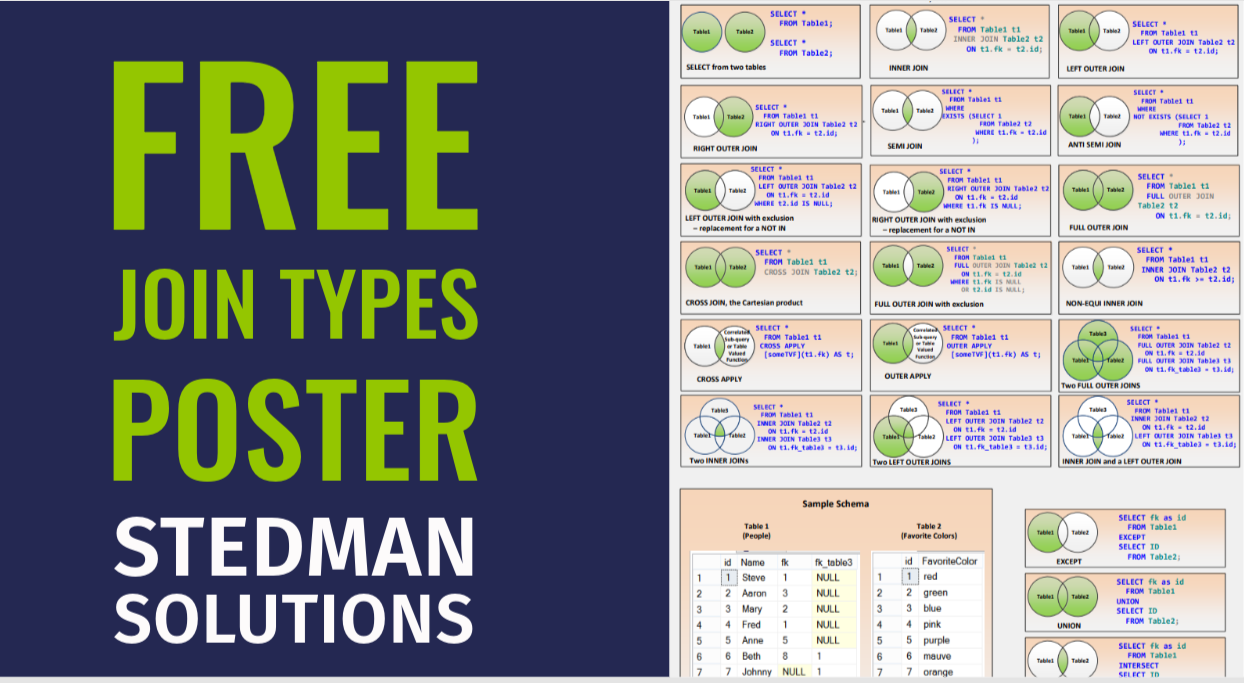
Welcome to April at Stedman Solutions, LLC! This month, we’re excited to announce that April is JOINS month, where all our promotions and activities will… Read More »Demystifying SQL Server Join Types: A Guide to Mastery

Navigating the landscape of Microsoft SQL Server, one may occasionally encounter the formidable issue of database corruption, which can jeopardize vital data and disrupt business… Read More »SQL Server Corruption: When Did It Happen
Wait statistics, in the context of SQL Server, refer to the amount of time that a query spends waiting to access data in the database.… Read More »SQL Server Wait Type: PREEMPTIVE_OS_CLOSEHANDLE

Welcome to April at Stedman Solutions, LLC! This month, we’re excited to announce that April is JOINS month, where all our promotions and activities will… Read More »Join Types Shower Curtain
Welcome to April at Stedman Solutions, LLC! This month, we’re excited to announce that April is JOINS month, where all our promotions and activities will… Read More »Our Free Joins Poster

Keeping your SQL Server up-to-date with the latest patches and updates is an important part of maintaining the security and stability of your system. Here… Read More »Securing SQL Server: Patching your SQL Server

Mastering SQL Aggregation: Elevate Your Querying Skills If you’ve ever found yourself struggling to make sense of large datasets in SQL Server, you’re not alone.… Read More »Master SQL Server Aggregation: Boost Your Data Query Skills

SQL Server is a powerful tool for managing and querying data, but mastering its intricacies can be a game-changer for developers and database administrators. One… Read More »Mastering Anti Left Join in SQL Server: A Comprehensive Guide

Are You Prepared for SQL Server Corruption? Hello, I’m Steve Stedman, and I’m here to talk about one of the most critical aspects of SQL… Read More »How to Prepare for SQL Server Database Corruption: Essential Tips and Strategies